What 3D-printing projects did you do for your truck and shop?

This site may earn a commission from merchant affiliate
links, including eBay, Amazon, Skimlinks, and others.

I don't know about you guys, but I'm pretty much done with PLA. Too weak and wow does it distort just being out in the sun. I'm using all of my colors up on things that don't need a lot of strength, but I won't buy any more. Using PETG for pretty much everything, it's all I'll buy.

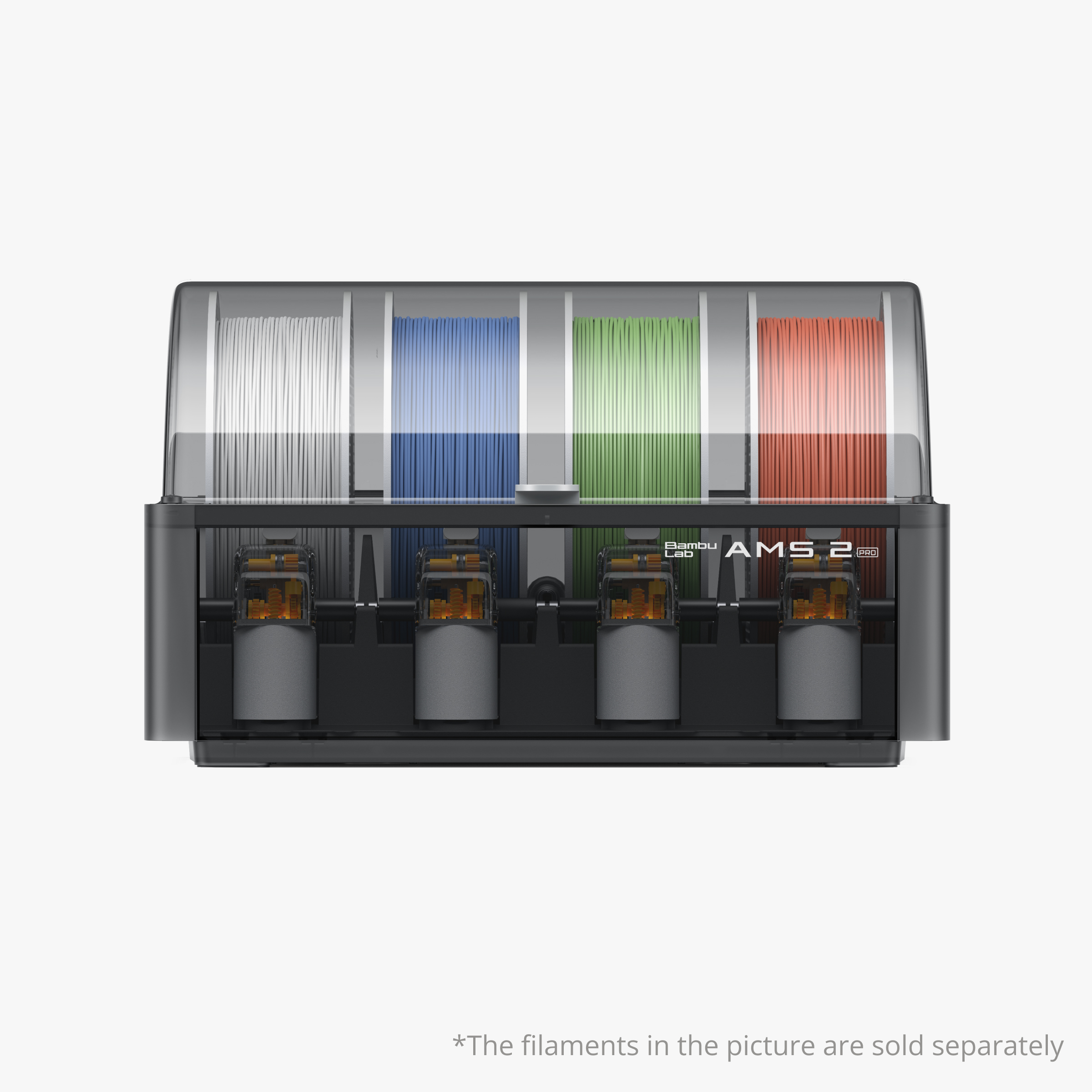
What brands of filament are you using? I've been buying Overture and Sulu on Amazon, but I think I'm gonna go back to buying right from Bambu. It's really nice that the spools have tags in them, all I have to do is pop the spool on the spindle in the AMS, and it knows the type and color of filament, automatically switches heat and feed parameters. You can buy refills, which are cheaper.

Might also be upgrading my printer to the new P2S. That thing is sweet.
 
I don't know about you guys, but I'm pretty much done with PLA. Too weak and wow does it distort just being out in the sun. I'm using all of my colors up on things that don't need a lot of strength, but I won't buy any more. Using PETG for pretty much everything, it's all I'll buy.

What brands of filament are you using? I've been buying Overture and Sulu on Amazon, but I think I'm gonna go back to buying right from Bambu. It's really nice that the spools have tags in them, all I have to do is pop the spool on the spindle in the AMS, and it knows the type and color of filament, automatically switches heat and feed parameters. You can buy refills, which are cheaper.

Might also be upgrading my printer to the new P2S. That thing is sweet.
I use all the Bambu Labs filament because its a decent price, all prints great on my Bambu printer, and my machine auto recognizes what filament i load into it if I use Bambu products.
I like PLA for prototyping or printing s*** I know some one will throw away or use in the house like phone stands and little nick nacks and s***. Its cheap, and bio degradable, so I don't feel bad chucking it in the bin.
I bought a P2S and I absolutely love it.
 
I'm not as down on PLA as some of you may be. I only had one failure and it was a skinny "bolt" that I printed in the weaker direction. Everything else that I printed was more than strong enough. And I have had a PLA device outside in the sun for several months with no ill effect seen, although to be fair I should say that I intentionally printed it white so it would not get as hot as some other colors.
 
I printed this last Spring out of PLA, a holder for carrying Makita batteries out in the field. We had a deck/ramp job last summer on a hot day, and I made the mistake of leaving it out in the sun. It got so distorted the batteries would no longer slide on, I had to throw it away. It was a big print that took about half a spool of filament, I was not happy. Lesson learned, I guess.

PXL_20250102_160121564.webp

PXL_20250102_170415215.webp
 
Wow. Just one day. And if in NH, not exactly AZ summer. That is surprising.
Maybe there are different types of PLA?
 
One thing that's great about CAD and 3D printing is how accurate you can get angles, which may not be so easy to do otherwise.

I need to rotate a chuck by some specific angles for a project. So, of course, I immediately thought of doing something with marking distances around the chuck (which is fraught with potential errors), then of printing on paper a ruler of sorts with tickmarks and then gluing it to the chuck (which would require a bunch of trial and error) like has been done for eons. But then, I remembered I can also do this now :

Chuck Sleeve    Screenshot 2026-04-11 142330.webp


This is with 10 and 5 degrees increments. I thought of printing numbers around the periphery too, but that would take way too much time to program. Faster to use a Sharpie.

Now, admittedly, there are still some issues. Main one is that it will likely take 2 or 3 trials to have that sleeve fit the chuck closely enough to be press-fitted to the chuck. But then I could also make it a bit loose and glue it. Or use TPU. Also, the little angle markers can't be too thin or they may end up funky possibly, so I started a bit thick but may adjust (I thought first of doing recesses but I have not had good luck with those for very thin features).

It would also be very easy to do some sort of clock face dial to go with that.


I have to say that I have not yet figured out how to guesstimate fits consistently with PLA. The shrinkage is significant and depends a lot on the dimensions of the part and it's often a hit and miss for me with both external and internal diameters. Here I started with the internal diameter of the sleeve the same as the true outside diameter of the chuck, counting on there being some slight shrinkage towards a bigger internal diameter which I have seen before, but I have no idea what the final diameter will end being. And it does not help if there are seams whether aligned or random. Have you figured out a way to precalculate this accurately?
 
Strap winder:

Strap winder 2 Screenshot 2026-04-12 141300.webp
 
One of my favorite prints I've made:

WallClock.webp


Wall clock in my shop, about 10" in diameter. Now I can finally afford a Rolex GMT. It keeps surprisingly good time with the Bambu kit.
 
that is astonishing!
Can you explain a bit about how this works to get the different colors in?
 
that is astonishing!
Can you explain a bit about how this works to get the different colors in?
Here's the model: https://makerworld.com/en/models/10...r-ii-wall-clock?from=search#profileId-1014593

It requires that you have an AMS (Automatic Material System) so you can print 4 filament colors in one print session. Looks like there is a profile that you can print it if you don't have an AMS, but I haven't tried it. I can't imagine buying a printer now without one. It prints face-down, so the visible surfaces are very smooth and crisp. Bambu sells a clock kit that pops right into the model once it's done.
 
wow
so there is no work interruption when changing colors and it's all automatic?
How do you tell the slicer what color to use and when?
How does it empty the nozzle of the previous color before starting a new one?
(sorry)
 
wow
so there is no work interruption when changing colors and it's all automatic?
How do you tell the slicer what color to use and when?
How does it empty the nozzle of the previous color before starting a new one?
(sorry)
you can find all that info here or on youtube
 
yup, accurate angles are one big benefit of 3D printing. Yes, I can futz around with combination squares, protractors and the like. But...

it also took me only 2 minutes to get these off to the printer. 10 mins to print. 35 cents for the lot. Super handy to have around, leave some in the countersink box (also printed), and delight in the fact that if I lose one, I won't waste an hour turning over everything in the shop trying to find it; and also enjoy giving away to DIYer friends...

Heck it took me longer to type this post than to design and slice these little suckers! (That might be a bad sign come to think of it)

Anyway, here they are (45, 60, 82, 90deg):

Fishtails     Screenshot 2026-04-19 144826.webp


Free DIY Trivia Quiz o' the day:
What's the difference between 82 and 90deg when it comes to countersinks? (besides the 8 degrees, that is...)


added: oh, shoot, I should have also printed a 118 and a 135...
added to added: Fixed!
 
Last edited:
82° = SAE
90° = Metric
118° and 135° are common twist drill points.
 
yup! Imperial and metric. That's why I printed these fishtails, too close to tell by eye.
I wonder how they came up with 82deg in the first place. Why not 80 for crying out loud? And 118? What's with all the weird numbers? But then again, we have to contend with 64ths.... SMDH! I just use thous instead... Although, admittedly, with 3D printing, I mostly use mms.

added: well, I did end up going through the countersink box. That was a mess. The 82s and 90s were all jumbled together. 3D prints to the rescue! All is peaceful now in the drill drawer...
 
Back
Top Bottom