Kenwood DNX6140 GPS/DVD install

This site may earn a commission from merchant affiliate
links, including eBay, Amazon, Skimlinks, and others.

Joined
Jun 17, 2005
Threads
170
Messages
5,263
Location
Arizona
So a few months ago we traded in our Honda Odyssey Touring minivan and my 80 series on the 2000 UZJ100. Definitely more family friendly than the 80, and takes us more places than the minivan. We did miss the navi, DVD player, XM radio, and backup camera from the Odyssey though, and the Land Cruiser stereo is, well, less than adequate, especially since the CD player was gone. So, sticking to a budget, we hit Crutchfield and found a replacement, the Kenwood DNX6140. I got a refurb'd unit. It's got GPS (Garmin) built in, plays DVD's, built in Bluetooth, and supports iPod, satelite radio and a backup camera. The screen is 6.1", not the largest that are out there, but it has an actual volume knob, something I like.

Here's the finished product:

4294559123_92983affa5_o.jpg


The total system I put in consists of :
  • Kenwood DNX6140 HU DVD player and Garmin GPS
  • Mobile TV G-8000 8" overhead DVD screen (cheap-o screen)
  • Kenwood XM unit
  • Built-in Bluetooth
  • Kenwood CCD2000 rear view camera
  • Kenwood iPod cable
  • USB cable for MP3 playback from thumb drive
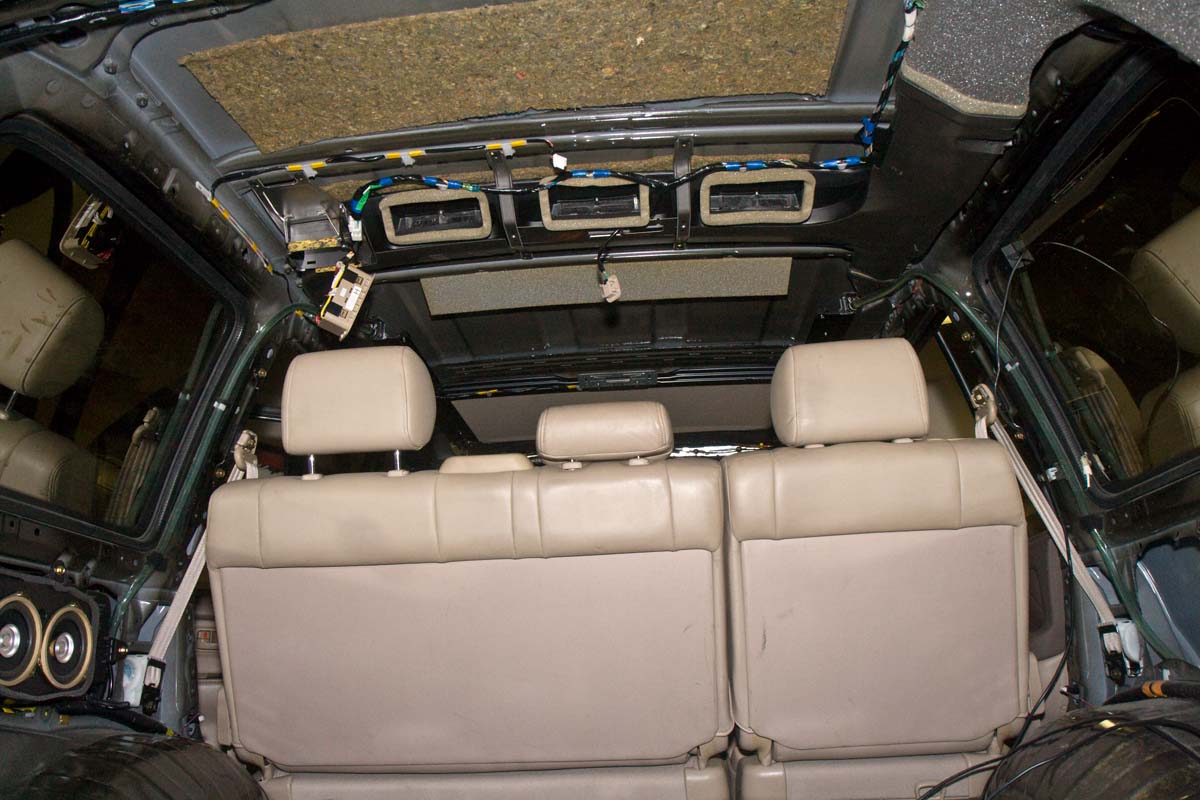
The install took me a solid week and a half of evenings and a few hours on weekends. I wanted a clean looking install, so I put the XM antenna on top of the liftgate, and also ran the backup camera to the bottom of the liftgate between the license plate lights. I mounted the overhead DVD monitor right behind the sunroof opening. I've heard enough stories about the placement of the bluetooth mic to know I wanted it up high, where it was in our van. To do all that, the headliner had to come down, which meant all the interior had to come out.
 
Fortunately, the LC interior is pretty much made from Lego, and all snaps together... In fact I think I could literally remove the factory radio in less than 2 minutes. Toyota's response for such easy theft apparently was to make a crappy stereo that no one wanted to steal. :meh:. So off to removing all the panels. A clip remover was a handy tool for it, and the FSM has pretty straighforward instructions.
4295303162_7b578ea650_o.jpg


Since it's a DD, I kept the seats and seat belts in. I think a phillips, regular, and torx screwdriver plus the clip remover and a 10mm and 14mm socket are about all that's needed to remove the entire interior. The only things not adressed in the manual were how to get the seat belt upper anchor covers off (the back ones are hinged on top and the front ones are just the small top section), and the rear AC controls, which just pop out and dangle from the ceiling to remove the headliner.

I broke a few of the push-in clips and replaced them and a few others that were bent up good with new ones form Toyota. One of the panels was missing a clip which was also replaced. The B-pillar assist grip grab handles wouldn't come out, and I ended up using screw extractors to get them out. Since I knew it would be several days, all hardware went into zip-loc bags with labels.

Cutting into the headliner was the hardest part (just 'cause it's $1500 if you jack it up). Though the design is fairly robust, it is nice to have 2-3 people to get it out the back hatch.

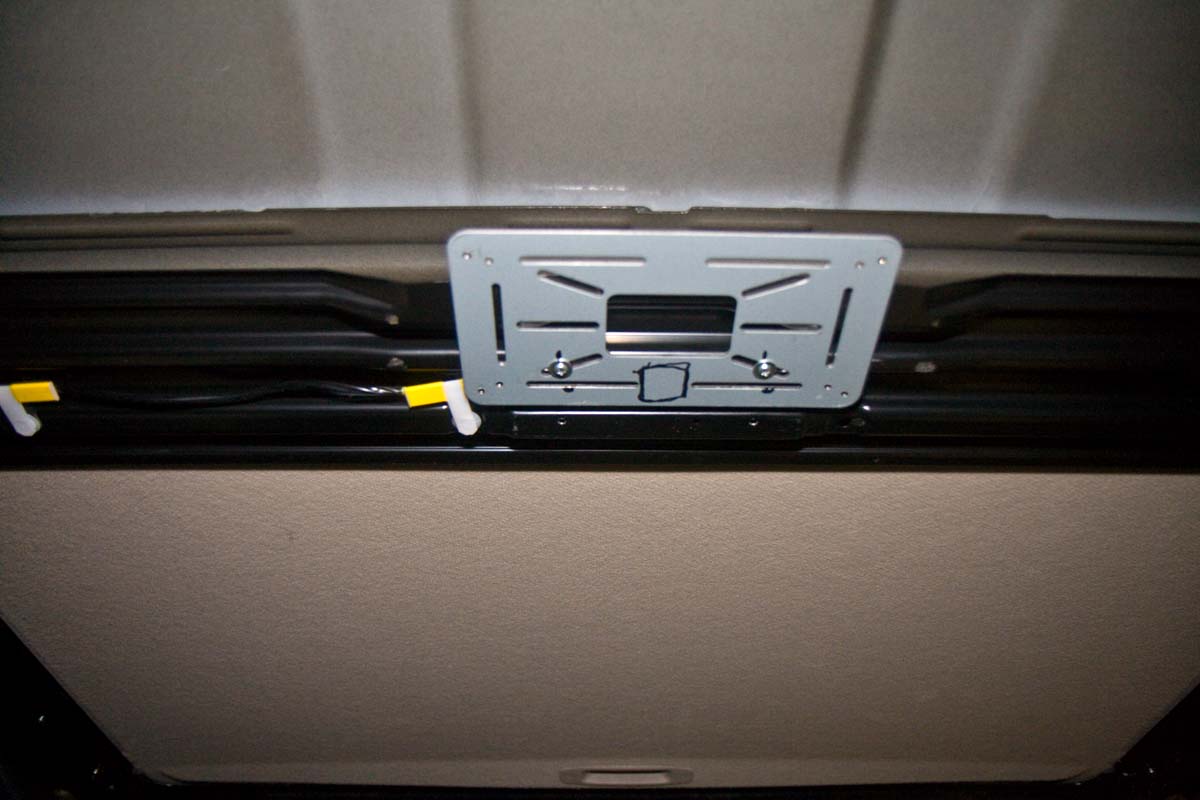
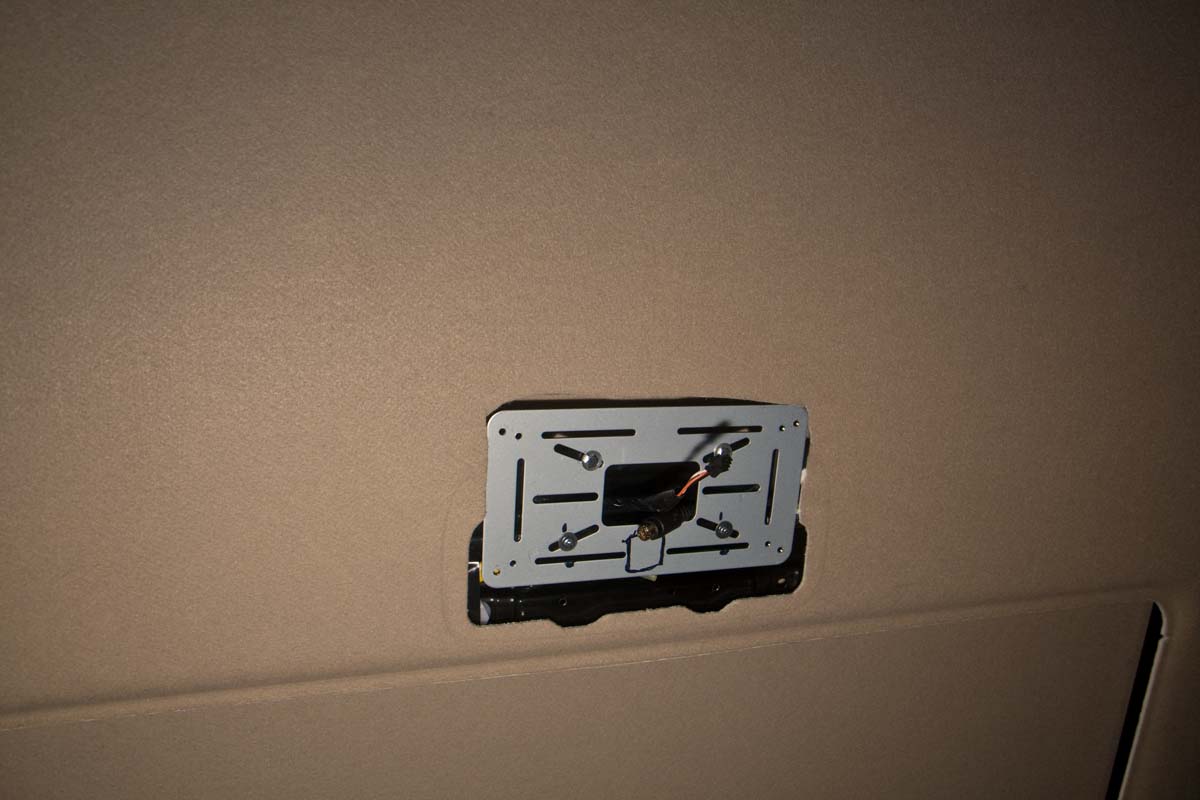
The brace at the back of the sunroof isn't the most secure, but the only option for mounting an overhead DVD screen. The screen came with a metal bracket. Dome lights are tapped into the existing harness which runs in from the DS (negative switched) and I ran the 8-pin signal cable up the PS A-pillar and along the headliner and to the DVD player from the PS. It has a control box that I placed in the PS footwell cowl with a secondary AV input and power source. It has built in IR for headphones that way. RCA cables from the HU are fed behind the glove-box to the control box. I had to drill 2 holes for the bracket, and used 2 of the existing dome-light holes/screws.

Bracket before wires and drilling mounting holes:

4294558959_b8025322e6_o.jpg


Bracket with headliner installed and wires run. You can see the indentation of the dome light footprint:

4296729542_29cce0bac9_o.jpg


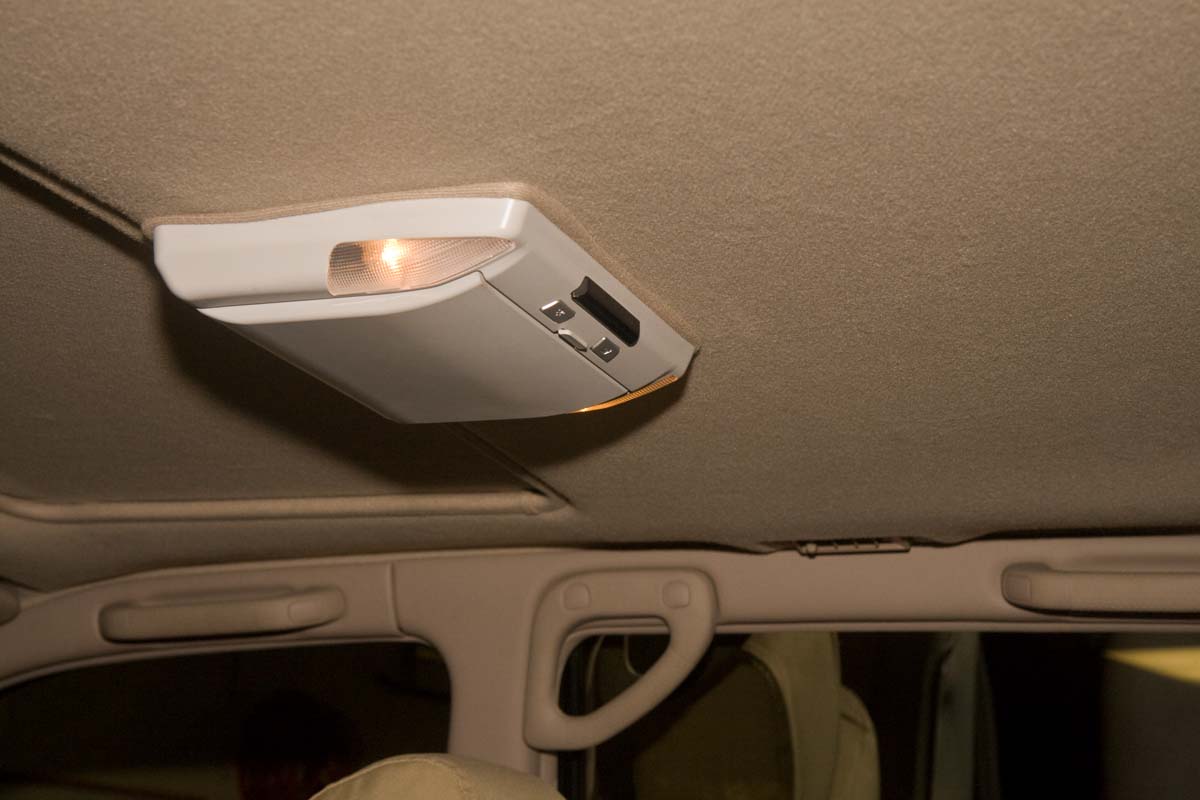
DVD overhead monitor installed:

4295303296_b641fbb02c_o.jpg


There was a slight gap between the unit and the headliner at the rear of the DVD player (by the IR transmitter) as the headliner is not flat and slopes up. I bought some headliner material in desert tan and the local upholstery shop (Tempe Sales) and sewed a gasket of sorts that doesn't look perfect, but at least coverst the gap and matched color well enough.

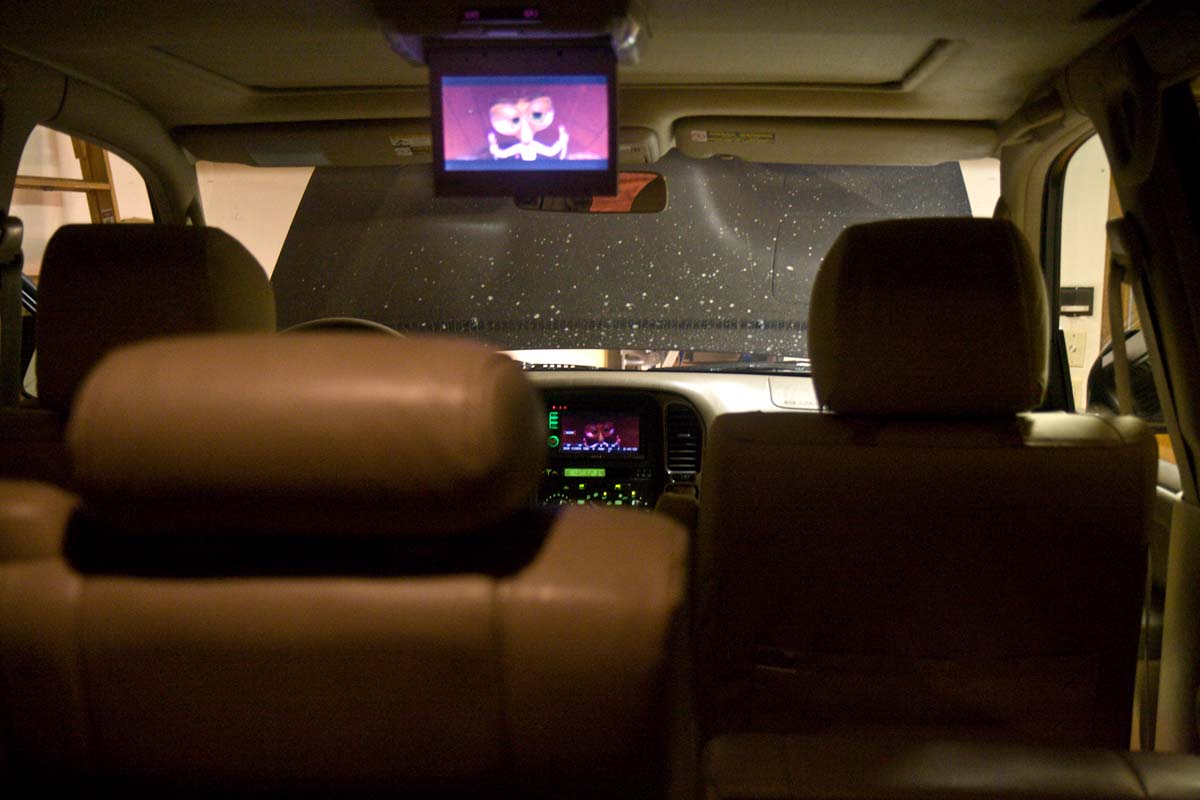
DVD screen playing:

4294559167_d1036df411_o.jpg


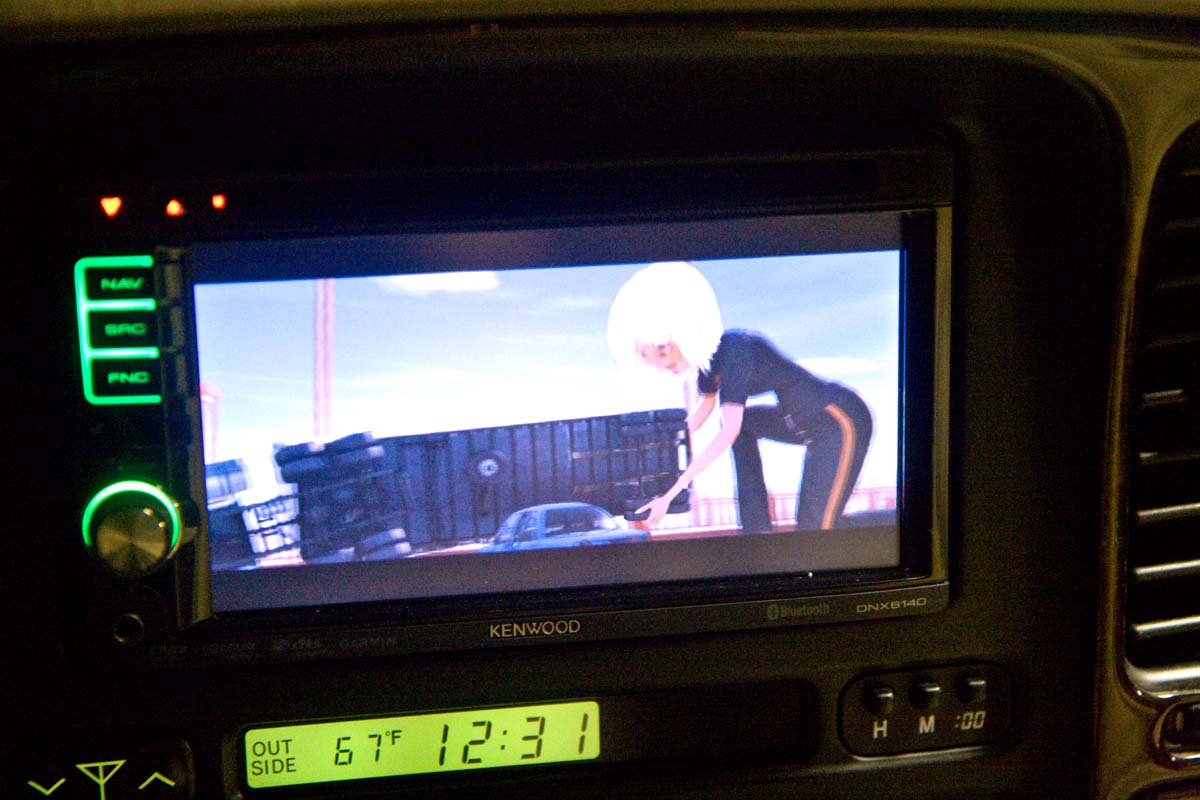
Somehow (?!) a wire got grounded so the movie plays on the HU as well, if you so desire...
 
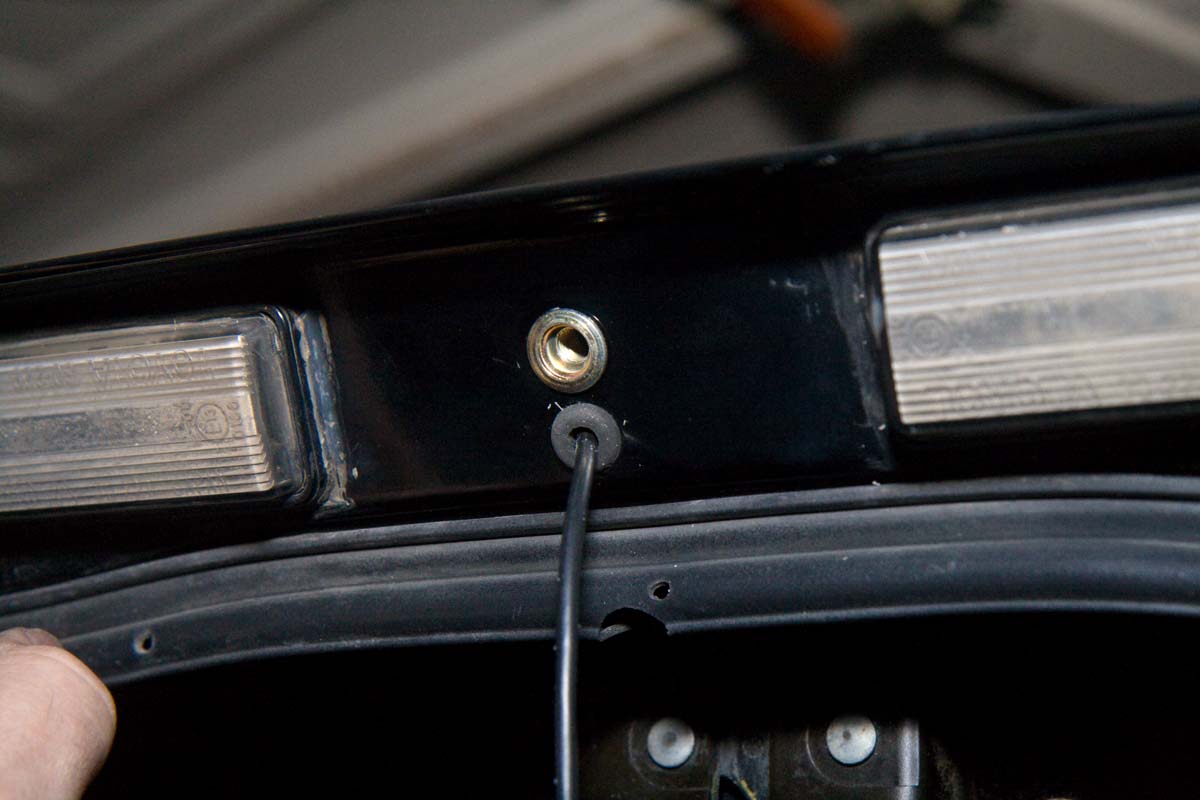
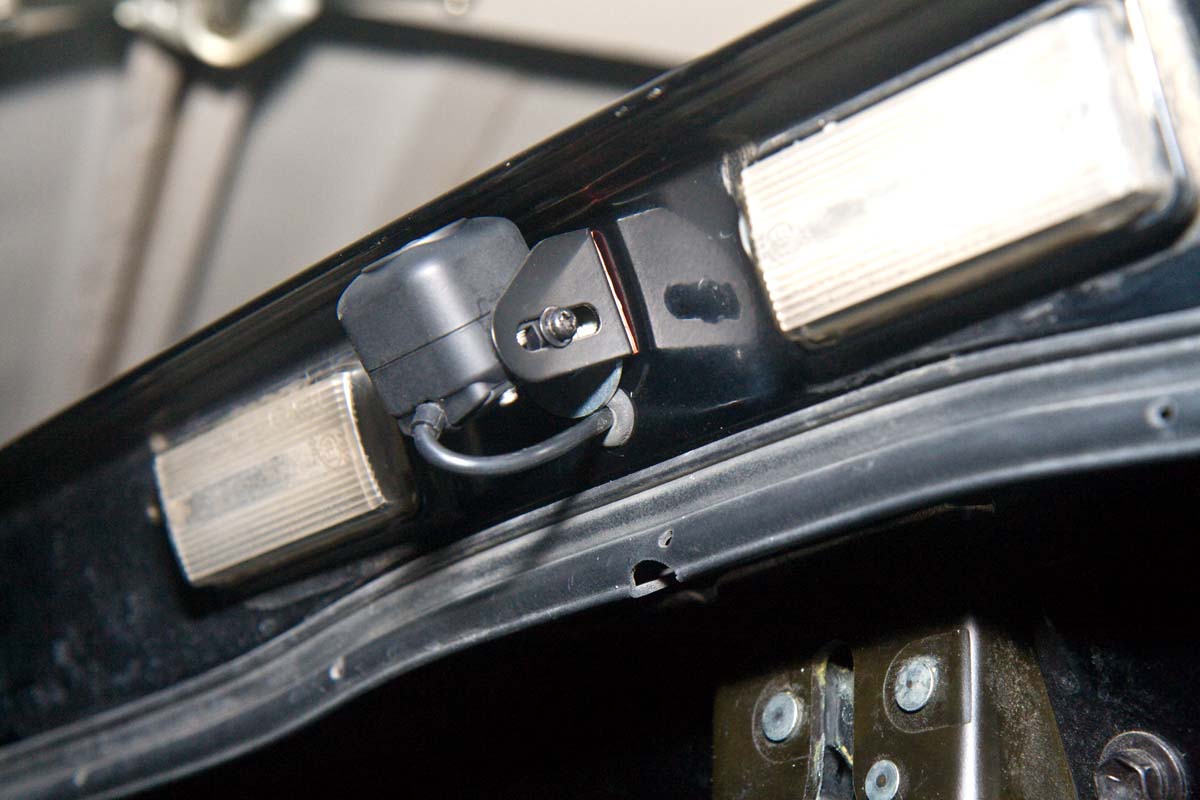
I mounted the rear-view camera on the bottom of the liftgate between the license plate lights. I didn't trust the double-sticky tape mounts with the slamming of the liftgate, so I drilled a hole and put in a nut-zert. I also used the double sticky tape around the 6mm nut-zert. I also had to drill a hole for the camera cable. Wires route through the liftgate, then into the top of the rear cargo area, down the D pillar and behind the "subwoofer" then along the floor to the center console by the shifter, and up to the HU.

Surprisingly, even with the EWD it was hard to find a reverse wire to tap into by the shifter. The wires there are very tight, with little slack for a tap. I tapped into a reverse wire above the PS floorboards above the junction box where all the wires go to the combination meter (dash). Unfortunately, they're all sky-blue wires, so you have to count pins on the IU3 connector very carefully. It worked. Phew. At first I wired both the HU and the back-up camera to the reverse wire. This meant that the camera appeared on the screen when the transmission was in reverse, as expected. But the camera also has a small control box (under the center console box) that only powers the camera on when in reverse. So I cut that wire tap into the reverse signal so that you can push a button on the HU and see out of the reverse camera at any time in addition to automatically while in reverse.

Holes for the camera:

4295303174_ec4b8e643a_o.jpg


Camera mounted. After taking it apart, and checking with Kenwood tech support, there is no option other than to have the cable come out the bottom of the camera. :frown: Oh, well, it's not visible when the tailgate is closed.
4294559003_4cd332ed72_o.jpg


and closed.

4294559015_f2f071d4bd_o.jpg


Boy, the flash brings out every imperfection, doesn't it?? :crybaby: It really doesn't look that bad...

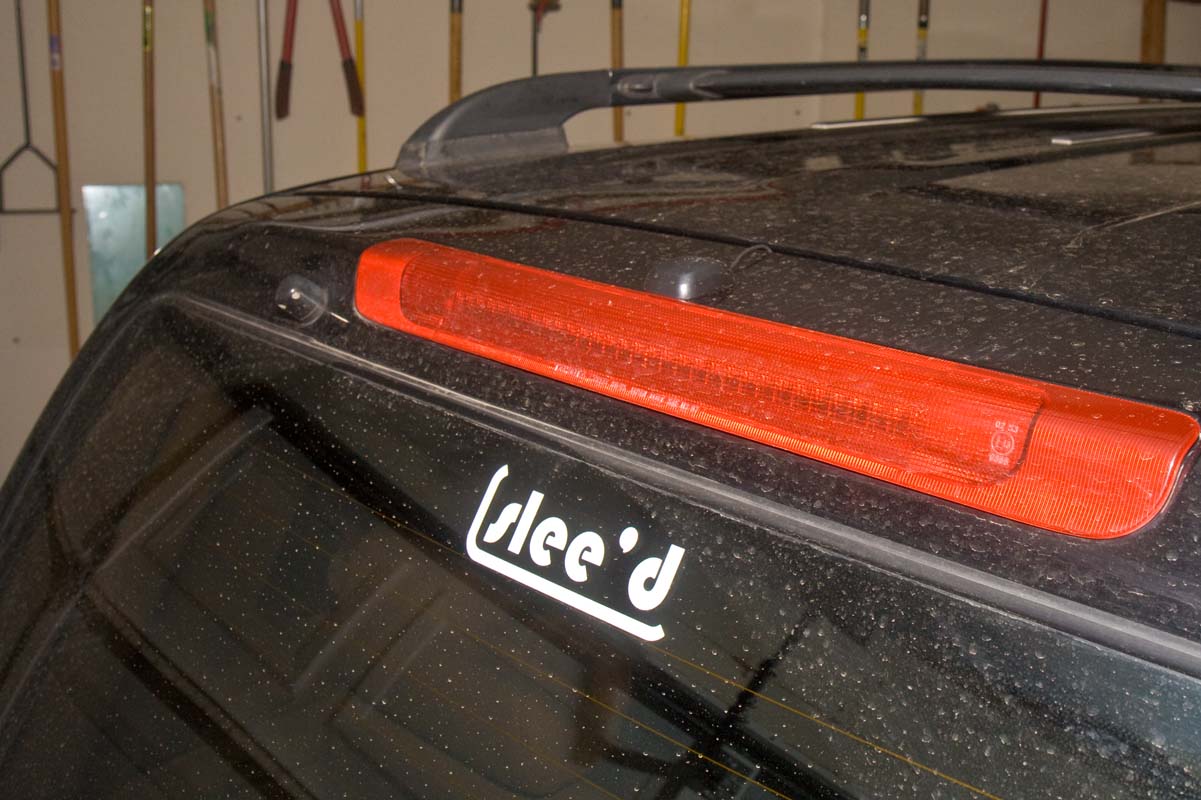
The XM antenna goes into the upper lift gate through one of the plugs used to access the third brake light mounting bolts. I used a plug for the washer hose to guide it into the hatch.

4294559057_198f31da78_o.jpg
 
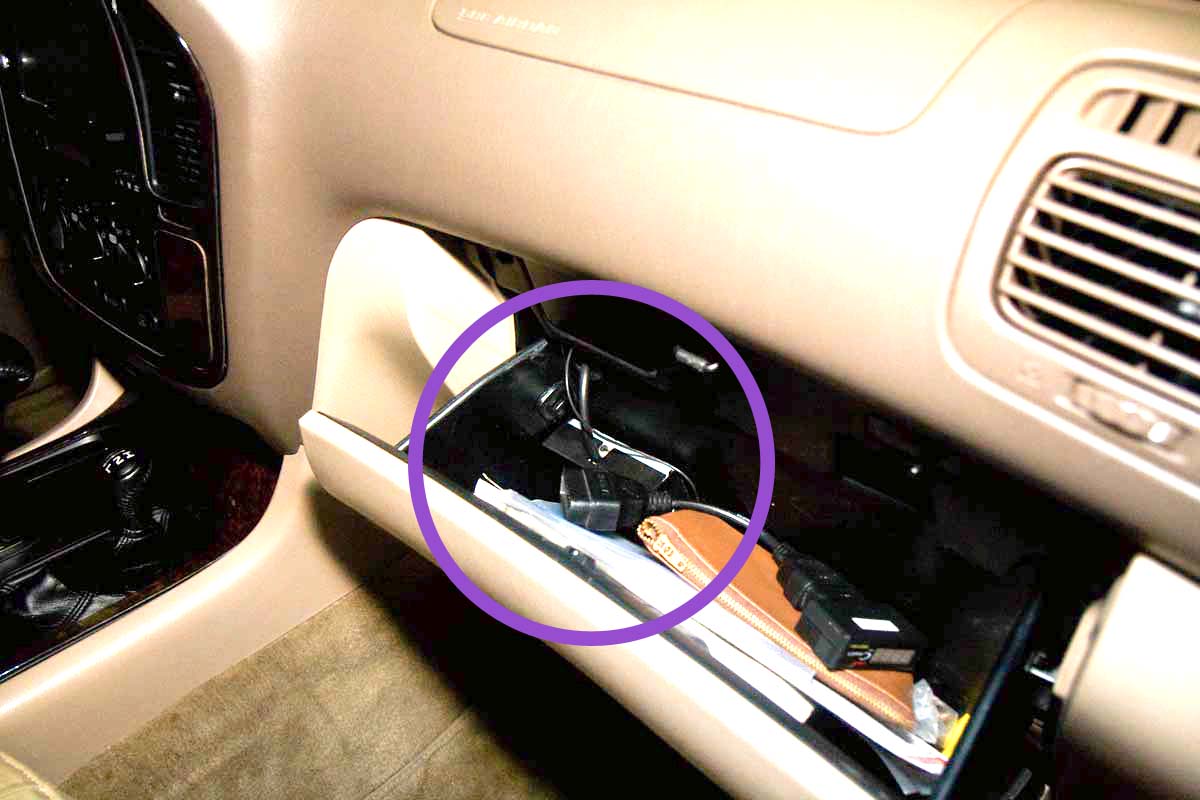
The XM antenna routes into the glove box, about the only place I could find to mount the control box. It's velcro'd into the box with "automotive" velcro. We'll see if the adhesive survives an AZ summer or not. I have my doubts.:rolleyes: I cut a circular opening into the top back of the glove box and trimmed a rubber grommet to fit the cables (they lift out) so the glove box can still be removed without having to disconnect the XM unit from the back of the HU
4294559231_d8eddd607b_o.jpg


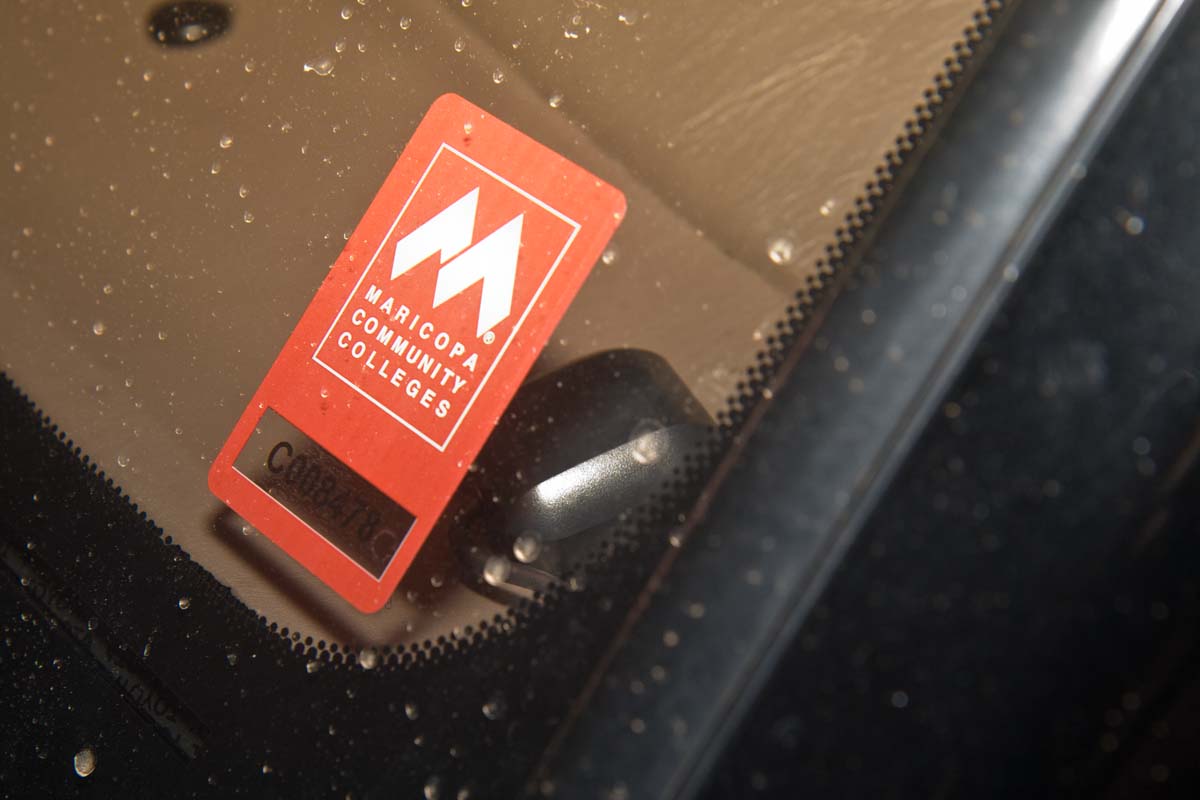
I ran the GPS antenna under the instrument panel and up to the bottom of the DS A-pillar on the dash. Reception is great, even in the garage. (hides nicely behind the wife's parking permit)

4295303274_80bb04db90_o.jpg
 
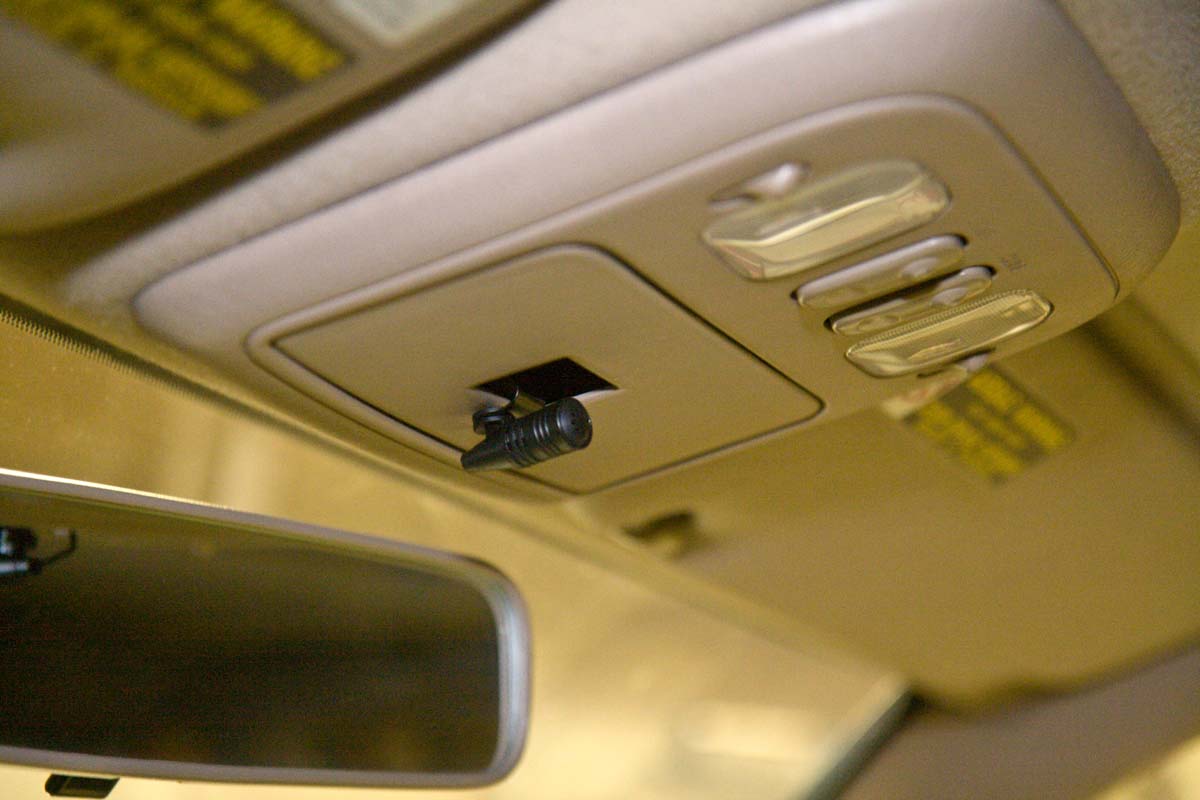
I ran the Bluetooth mic up the DS A-pillar, and then over to the front lights, and down in to the garage door-opener cubby. I had to drill a hole in the top side of the light housing to pass the mic through. Right now it's velcro'd in place. I will probably trim the hole cover to accomodate the bracket or leave it open when we finally decide on a new garage door opener. So far, reception and voice quality are excellent.

4294559189_06092b6fd1_o.jpg


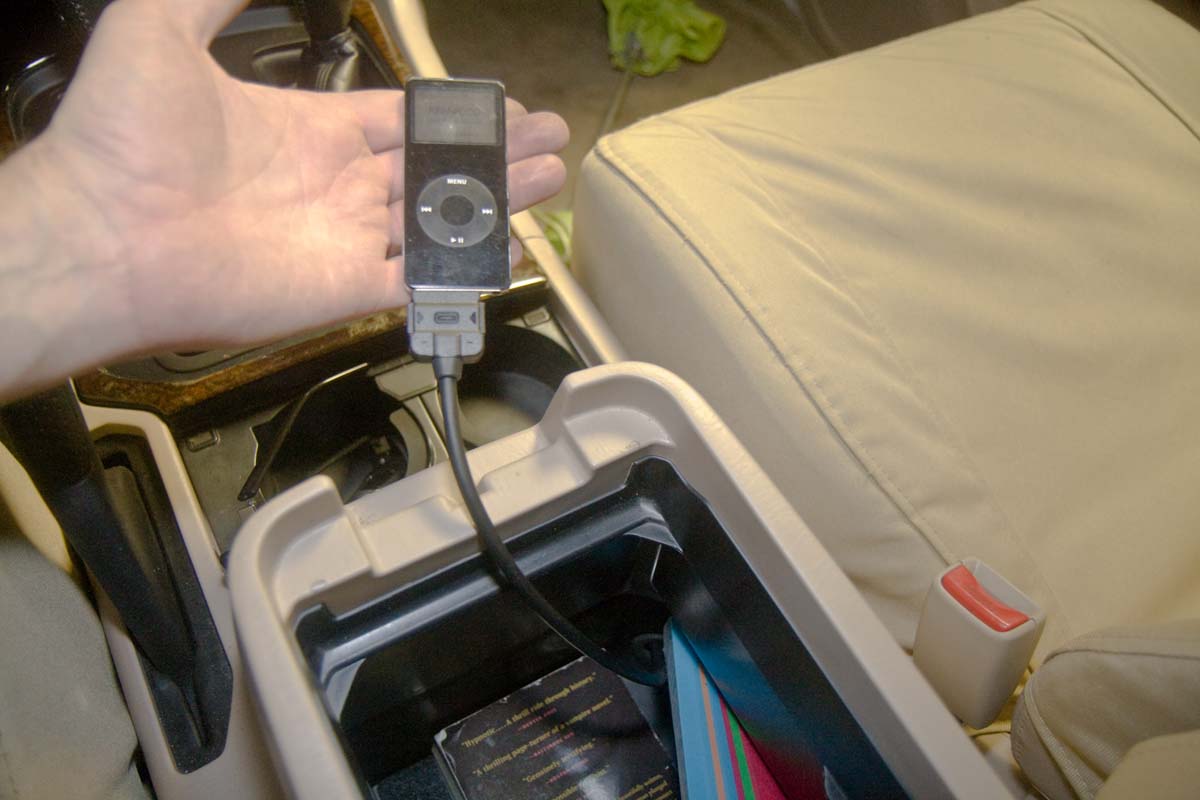
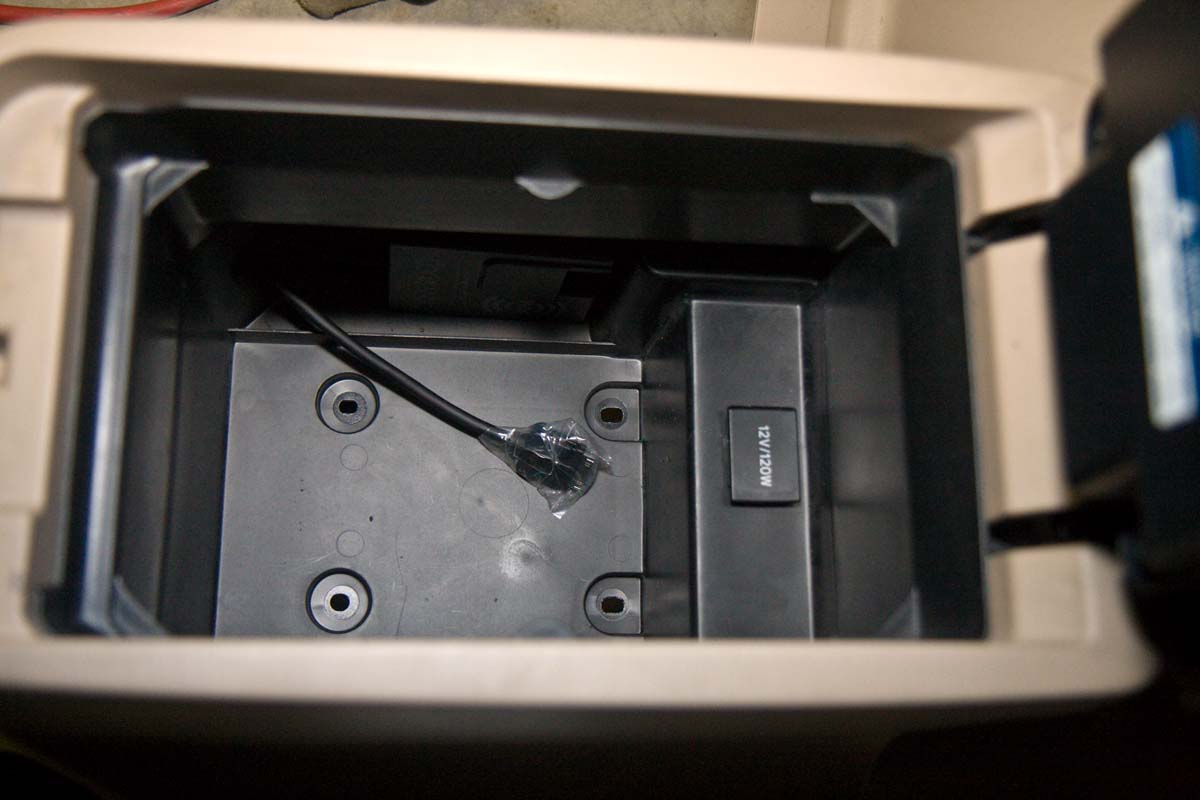
The iPod cable runs down from the HU underneath the shifter and into the center console box. I had to drill a hole in the lower side corner of the console box and put a grommet there to pass the ipod cable through. Ipod in the box, control through the HU.

4295303402_8fc94f7bc4_o.jpg


Where the cable comes in:

4295303142_ae7bd6b827_o.jpg


12V power outlet still functional. I tapped into this for the rear view camera power. The overhead LCD monitor screen control box is powered from the dash-mounted 12V outlet.

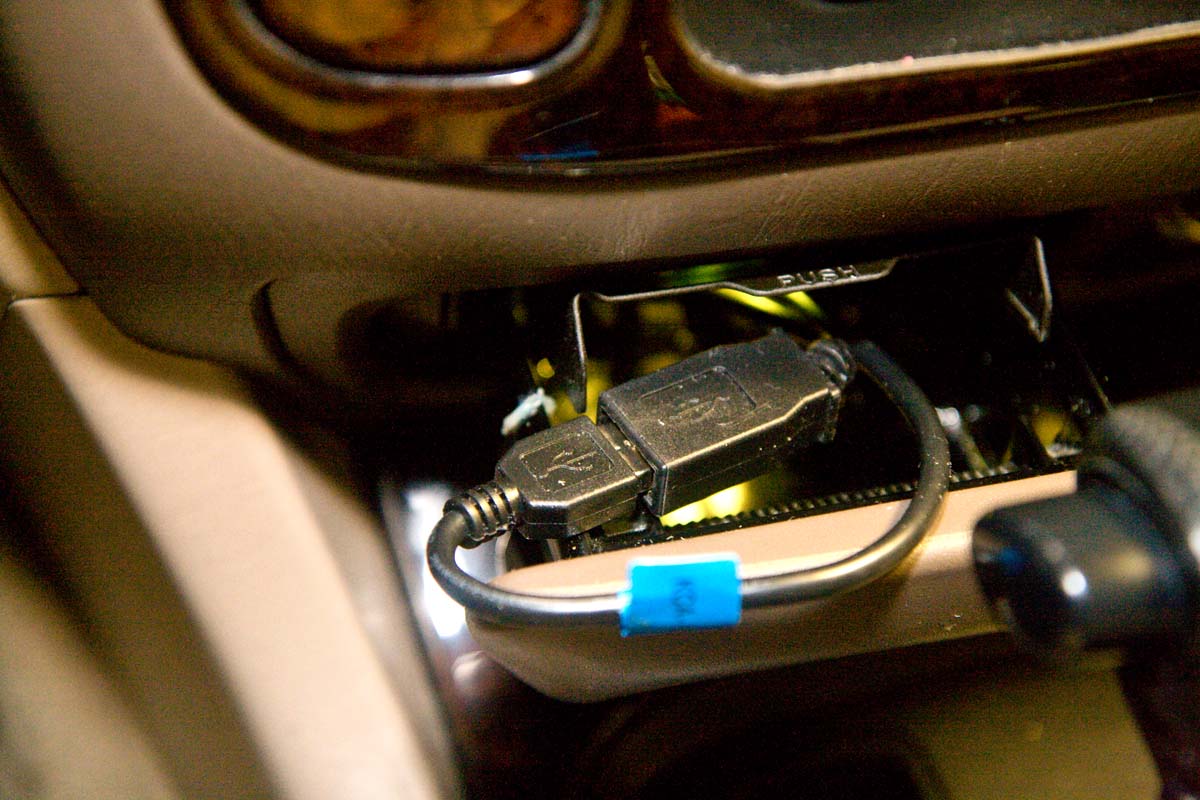
The USB plug is now in the ash tray. I drill out the back (and broke it, and had to epoxy it back together :frown:) and put a grommet back there too.

4295303386_0aa87168a4_o.jpg
 
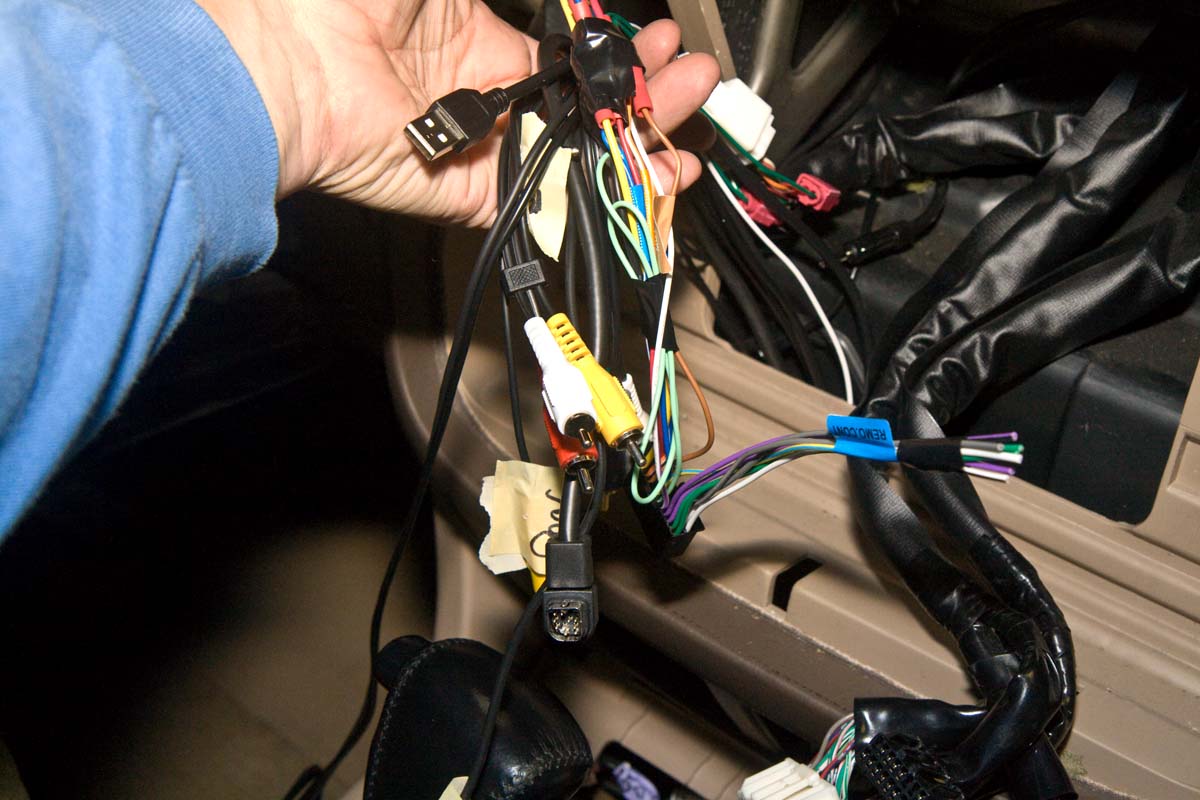
While there is plenty of room below the HU, space behind it gets tight when you have to hook up all the cables. I used the supplied Crutchfield adapter into the factory loom. I also ran a dedicated ground (12g) wire behind the glove box, through the unused nipple in the firewall factory wire loom grommet, and to the engine room ground point by the air filter on the fender. I also had to tap into the "Mute" wire and the green (not the green/white) "Illumination" wire on the factory harness. I'm still using the factory amp and speakers. That's a project for later. At first I had a whine/buzz/hiss present. By unplugging cables I traced it to the audio RCA cables feeding the overhead LCD control box by the PS footwell. Even using the dedicated ground wire, the hiss was still there. I used a gound loop isolator RCA cable (from "the Shack" :lol:) and viola, hiss gone...

The factory mounting brackets which screw to the side of the HU and attach it to the dash covered about half of the cooling fan, which exits on the DS of the HU. I marked them and drilled out several holes to increase air flow out of the HU.

All this crap plugs into the back of the HU:

4295303206_70291d0529_o.jpg
 
Last edited:
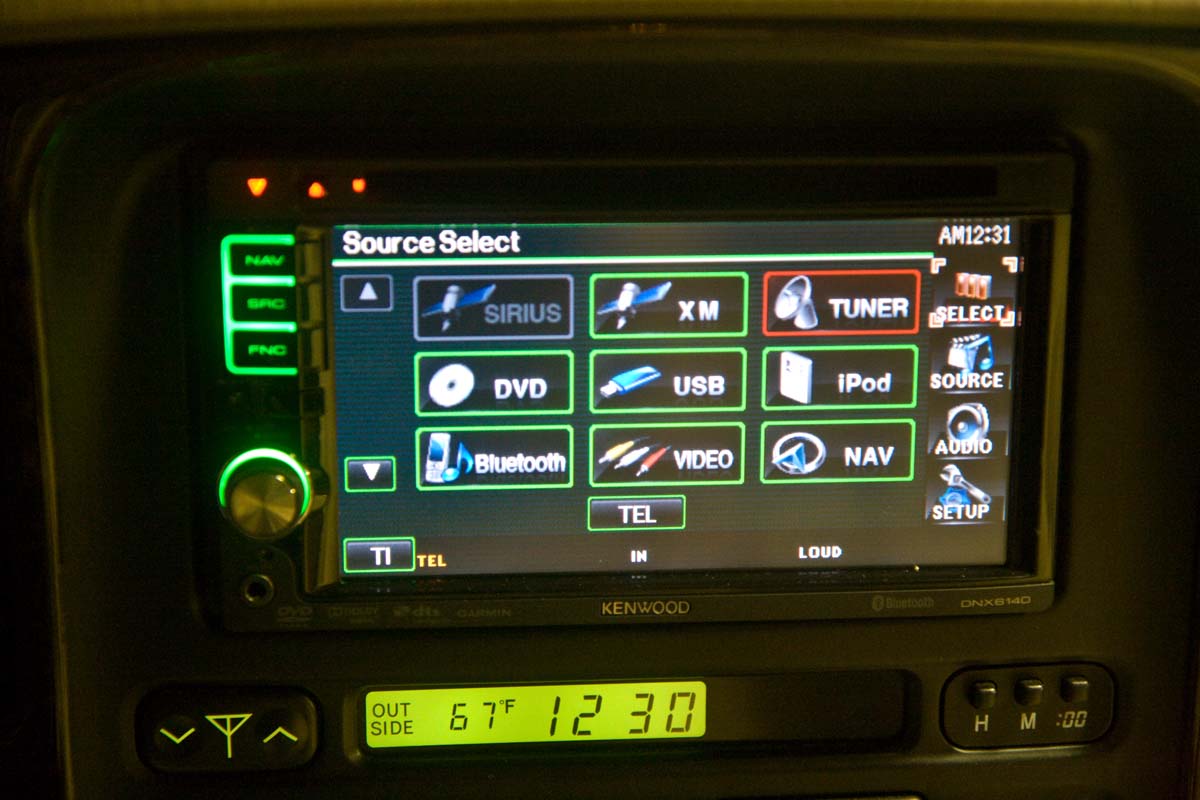
All in all, I really like the HU so far. You can customize the button color to (almost) match the factory green dash lights. However, the lights in the knob and control buttons don't "dim" per se with the rheostat on the dash, but the unit's screen dims with either the headlights turning on, or via a synch with the GPS time (to determine nighttime).

4294559143_8ffd346c58_o.jpg


Monters v Aliens... it was what was laying around...

4294559151_89e4409f2d_o.jpg


The e-brake cable could theoretically be grounded to provide constant video signal to the HU. If one was so inclined. No secret handshake technique needed like some of the Pioneer units.
 
Last edited:
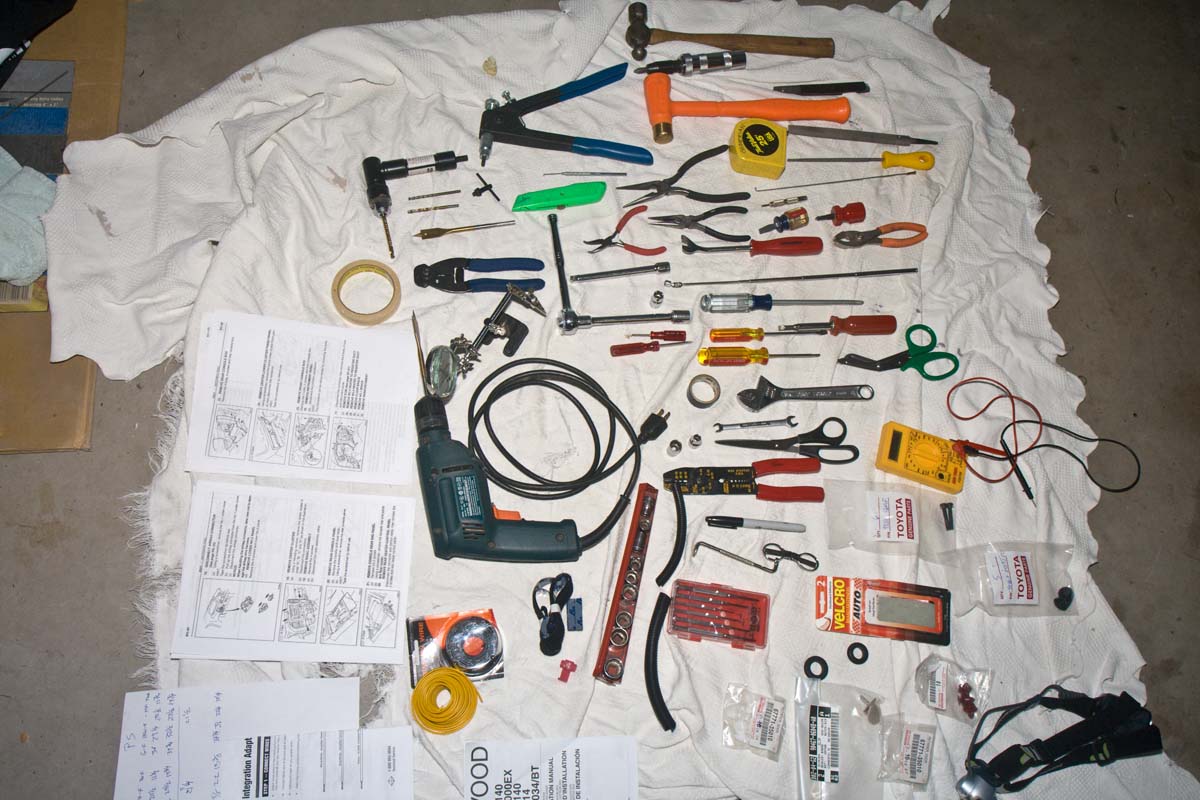
So I am by far one of the world's slowest mechanics, and to all you jokers who say you changed your timing belt with a pair of vice-grips and a butter-knife, here's (most) all of the tools I used for the job...

:flipoff2:

4295303240_c35261b7cd_o.jpg
 
my sirius control module is mounted (ok placed) under the passenger carpet at the firewall.

my GPS antenna is on the passenger side, but same idea, nice. my ipod was in the same location as yours too. The only thing I could see you doing a little better is moving the antenna from the hatch, to the actual roof, so when you open and close it doesnt move, and can keep playing music(pointing to the sky).
 
Looks nice, I have the same head unit(besides bluetooth) and love it. Probably my favorite mod.
 
Excellent looking installation with all the panels out and time taken for that "hiss". I'm ready to start on my sound project, but starting with the speakers.
Does the Kenwood have a separate sub woofer output?
What type of speakers are you planning on? (straight replacements, or componets?)
Again, great install.
 
Excellent looking installation with all the panels out and time taken for that "hiss". I'm ready to start on my sound project, but starting with the speakers.
Does the Kenwood have a separate sub woofer output?
What type of speakers are you planning on? (straight replacements, or componets?)
Again, great install.

Thanks. The HU has L/R connections for rear speakers/subwoofer, but not a dedicated sub output. As for speakers, I haven't gotten that far yet, but I can't afford the extra space for a seperate sub, so that will have to fit the factory enclosure... :frown: Third seats get used routinely, back gets loaded with crap, etc. etc.
 
Rob, fantastic write-up! Keep up the good work. I'm glad "my" old truck stayed in the MUD family and is being taken to the next level. I hope to see her on one of my trips to AZ this year. I can't wait to watch your continual progress. :beer:
 
Rob, fantastic write-up! Keep up the good work. I'm glad "my" old truck stayed in the MUD family and is being taken to the next level. I hope to see her on one of my trips to AZ this year. I can't wait to watch your continual progress. :beer:

Heck yeah! give me a shout when you're here and we'll at least go for a ride, if not a short wheeling trip!

add a subwoofer and some dynamat haha

I thought about the dynamat while I had it torn apart. The truth is after having the inside torn apart for a week and a half, I (and the wife) were ready to get it put back together. Really, the only place it could use some is the wheel wells, the back floor, and above the wheel wells on the insides of the body. I just didn't want to drag this out. I should have prepared better and ordered some material to have on hand before I started. Oh well. I'm not a total audiophile, and even the stock speakers sound better with the new HU. Now that I know what I'm doing, it'd only take 45 min or so to remove the tailgate trim, the striker plates, the seats and belts the carpet, and the lower trip panels to do it. It would be pretty tedious to cut the mat out for the floor, leaving access for all the seat brackets and whatnot down there. Bang for the buck though, some better speakers might be a better investment. You could blow $200+ just putting some dynamat down...
 
Last edited:
I agree with you analysis that better speakers would be the way to go versus dynamat. Your speakers are 10 + years old already. And they are paper cones. So they could definitely be improved upon.

I enjoyed your write up. Now if you could figure out how to integrate a CB and Ham radio into that head unit I'd be set. My LC interior is cluttered as I have too many electronics.
 
Great write up and photo post! It takes quite a bit more time and thought to document any job like this with photos! But you've posted good info others will surely benefit from!

I added Dynamat to the rear of mine last summer. I was amazed how much less road/gravel noise was apparent at the driver's seat...especially just doing the wheel wells; for the next time you have the rear panels out ;)
 
A couple of questions. Does the overhead DVD panel match the interior? Also, was the audio improved? I'm looking to do something similar for mine.
 
Back
Top Bottom