I've figured out the principals of doing it - the bracketry is another matter
If I still had my 450 I would probably look at just blocking the factory radio location with the iPad. I think the dream would be design a "garage door" that flips the ipad up and out of the way to access what's behind.
Ive actually been thinking along those lines. I love the iPad but I have a feeling the new smaller version will be the bee's knees for this application. Especially if it fits the double din radio sizing. The iPad can now do everything any stock-ish radio can do but better.
Any suggestions on the best head unit to play with an iPad? I have an Eclipse AVN6620 that plays with my iPod but not sure it would work with iPad. I've been thinking about the Pioneer AppRadio 2 perhaps. I like the idea of ditching many of the features from the head unit as the tec always advances and you can't always update the unit, or its crazy expensive to buy.. The thought of holding apps on the iPad and being able to update those is very appealing. So nav could always be current, along with your media. Really at that point the head units just becomes a docking station, it would be killer if a back up camera could be run through the iPad, along with touch screen caller ID...
All of things you mentioned are likely coming but we wont see much until iOS7, in a year.
I would go with a Pioneer head unit that supports advanced app mode over the pure app-radio 2. AVH-P8400BH can be had on Amazon for about $500.
The advantage going this way is that should you not have the ipad or iphone handy you still have a viable media head unit. It also sports 4volt outs to work with modern amplifiers as well as IPBus so you can use a dedicated satellite radio tuner.
In my case I use avic110bt and my ipad connects via BT streaming for it's audio. I have the dock connector in the lower console for my iphone.
I've figured out the principals of doing it - the bracketry is another matter
If I still had my 450 I would probably look at just blocking the factory radio location with the iPad. I think the dream would be design a "garage door" that flips the ipad up and out of the way to access what's behind.
I use a RAM mount with a long arm. Very well built and stable. I'm currently using a RAM suction cup to the windshield but I plan on mounting a RAM ball mount on the console next to the gear shift.
I first learned about the RAM system when it came mounted on a BMW adventure bike I bought.
Great write up! I use the suction cup ram mount in my 40 and it works great. And those of you who have driven a 40 with a 4 inch spring under lift know it's far from a the smooth ride you get a in 100.
Very good article. I just got a returned iPad 3 with cellular and am planning to do something like this shortly. Your article went through the basics I need to consider when doing this.
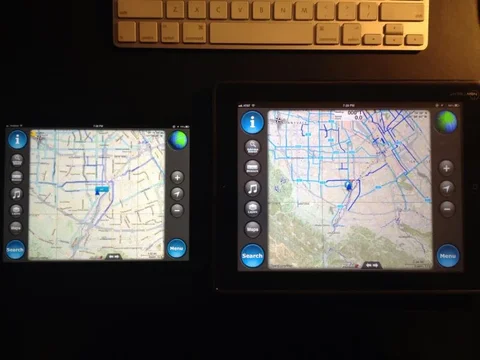
I run the first gen iPad coupled to a Dual GPS receiver. I download my maps ahead of time and drop in way points, directional hints, etc. I normally run the USGS Aerial photography blended 50/50 over the Topo map. This combination hasn't failed me yet. I haven't compared map size and download times between the various apps yet.
There are several great apps to choose from... why I keep coming back to Motion X is the interface. Easy to use while moving. I have the Trimble app - the update has been buggy... are you using version 2?
FYI I have now moved to the iPad Mini LTE for nav.
There are several great apps to choose from... why I keep coming back to Motion X is the interface. Easy to use while moving. I have the Trimble app - the update has been buggy... are you using version 2?
FYI I have now moved to the iPad Mini LTE for nav.
I'm running the latest version and just updated it. No real issues. Just the app freeze and normally find that happens if I have been stopped for more than 30 minutes.
I'd love to do the mini, but I like having the bigger screen.
The placement of a navigation device is definitely something you want to experiment with.
I've had a laptop sitting on the navigators lap. Or over the center console. I've had a PDA running navigation to side of the steering wheel.
This past trip to oz, I had a 7" tablet right up on top of the dash just off to the right as per this picture:
Having it in that position was brilliant. I could easily keep an eye on the current position and heading to verify various options at track junctions or when looking for a tee junction on some very old and barely identifiable tracks. It is the best location I've ever had a navigation device running, very easy to keep an eye on while offroad, very easy to zoom in/out, set waypoints, etc etc.
I can't imagine having the tablet running in any other location and certainly not down low where you have to continually take your eyes off the road.