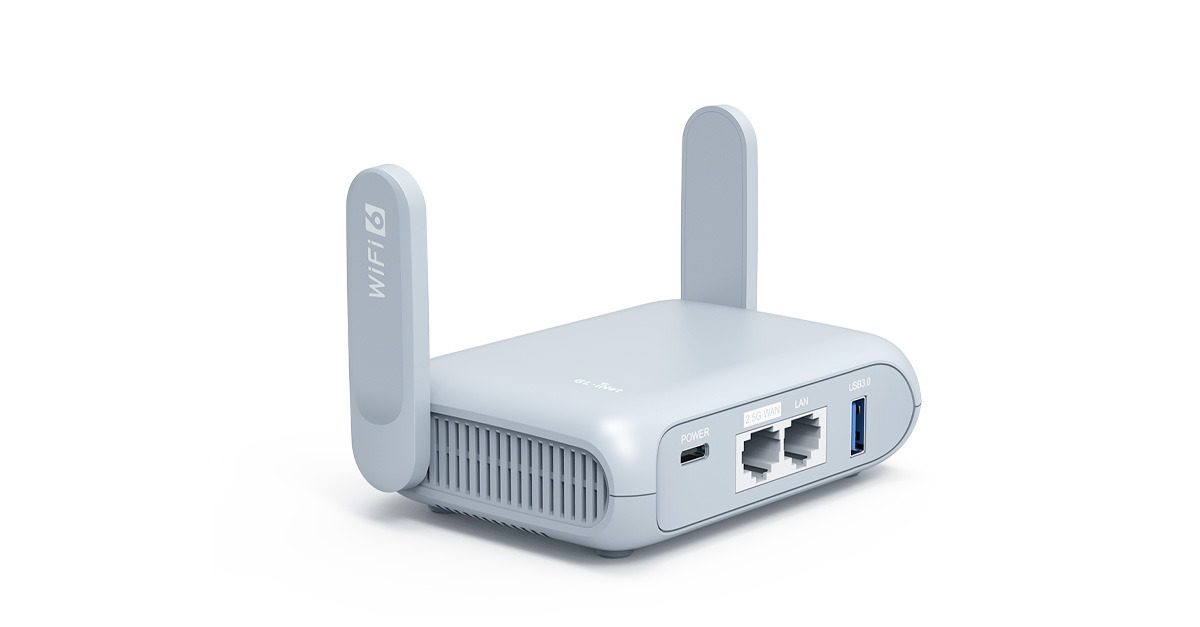
Anyone using a travel router to set up a local LAN in and around their vehicle?

This site may earn a commission from merchant affiliate
links, including eBay, Amazon, Skimlinks, and others.

kcjaz

SILVER Star
Joined
Feb 7, 2016
Threads
376
Messages
3,761
Location
Olathe, KS
I currently do this now with my iPhone as a hotspot. However, my EcoFlow devices (fridge, batteries, and alt charger) connect to the phone with BT and won’t connect to the same phone through the hot spot. BT works ok except when the truck is loaded with gear and people, then I often loose the BT connection between the devices. The EcoFlow devices will connect to WIFI if there is one, so I want a separate LAN that is not my phone. I don’t need internet access to monitor and change settings on the devices. I think a travel router would be perfect for this. When I do have internet access via cell phone, I could then just connect the travel router to my phone/hotspot.

Anyone done something like this? What router did you use?
 
If you don’t get much help on here, do some searches on RV sites or for RV WiFi LAN products. It’s pretty common in that world to have LAN WiFi, especially now with newer smart RVs having everything controlled centrally via LAN.
 
@prharper and/or @kcjaz. I have a STARLINK Mini and I just connect my trailer's Laptop, Smart TV and anything else that uses WiFi directly to my STARLINK. What exactly are you guys doing? Running a hard wired network in your trailer perhaps with a switch etc??? So you need a wireless bridge to input Starlink's WiFi and output a wired output? Am I understanding this?
 
@prharper and/or @kcjaz. I have a STARLINK Mini and I just connect my trailer's Laptop, Smart TV and anything else that uses WiFi directly to my STARLINK. What exactly are you guys doing? Running a hard wired network in your trailer perhaps with a switch etc??? So you need a wireless bridge to input Starlink's WiFi and output a wired output? Am I understanding this?
I have the older Starlink actuated dish before the mini was launched. I modified it, mounted in a flat panel on my roof rack. I don't even take it off anymore. I built a 12v power supply for it and added a third party WiFi Router (what I linked above) so I'm not lugging around the external Starlink router/power supply which is 120v. It works great. I have a remote that I can turn it on/off while driving.

Then along came the Mini which addresses the 12v requirement, built in WiFi and more portability.

@kcjaz - get the Mini and you don't need to worry about those two items I posted above. I've seen Starlink discount some refurb ones. More vendors are also offering mounting options for the Mini. Front Runner/Dometic has one for roof racks, Devos has a mount option for their lights etc.
 
I have the older Starlink actuated dish before the mini was launched. I modified it, mounted in a flat panel on my roof rack. I don't even take it off anymore. I built a 12v power supply for it and added a third party WiFi Router (what I linked above) so I'm not lugging around the external Starlink router/power supply which is 120v. It works great. I have a remote that I can turn it on/off while driving.

Then along came the Mini which addresses the 12v requirement, built in WiFi and more portability.

@kcjaz - get the Mini and you don't need to worry about those two items I posted above. I've seen Starlink discount some refurb ones. More vendors are also offering mounting options for the Mini. Front Runner/Dometic has one for roof racks, Devos has a mount option for their lights etc.
Yes, if I get the mini, I’d need to get a travel router. The travel router thing is just a solution to poor BT conductivity with my EcoFLow stuff. I like to keep an eye on the devices with my phone mounted on the dash just to make sure the fridge is cold and the batteries are charging.
 
I became enamored of the idea of monitoring and perhaps even controlling our trailer remotely.
A company called RV whisper has made a business of this.
There's just one problem: while their system appears excellent it requires a paid subscription.
And I don't want to pay. Anything. Ever.:cool:

Soooo I will extend my Hubitat ZWAVE home automation concept which is in place and working spectacularly.
We would be able to attach to our FREE Hubitat account and connect to Hub1 (home) or Hub2 (trailer/campsite).

EDIT: forgot to add link to Hubitat: Hubitat Elevation® | Local, Reliable, Fast and Private Home Automation - https://hubitat.com/
The picture is worth a thousand words (I hope).
HomeTrailerConcept.webp
 
Last edited:
Look into something like this

 
Most people get away to unplug from technology...
 
I was looking at this very problem when used with STARLINK MINI. Sometimes however, we're at a location where we would use the campground's WiFi. Our storage location has free WiFi and I use that to communicate with a Meross thermostatically controlled outlet*. During the winter months I like to keep the trailer heated to a certain extent to prevent mold and to keep the Lithium batteries warm. This outlet, if it has WiFi connectivity, can be monitored for temperature and power consumption. It doesn't require internet. I could just set it up and let it heat the trailer. But since it does have visibility, it lets me forget about the problem. In years past I'd visit our trailer at least weekly to see if all was OK. It was a PITA. So here's an example of technology letting me forget about a problem and indeed, the technology itself. This has worked so well that I started considering a system like the one we have at home. So MORE technology means actually LESS technology. An apparent oxymoron. The discriminator is technology implemented well. When i t is, technology and the problem it addresses vanishes.

To run a Hubitat home automation hub in the trailer I can go wireless (per the picture above) or wired like at home. To go wired internal to the trailer I need a router/bridge. STARLINK provides DHCP.
I had considered these two:
  • IOGEAR GWU637. This looks to me like the simplest way to run wired devices from a wireless link. I could velcro it to a trailer window.
  • GL.iNet in client mode (I think) for me if I understand the specs. This has more capability. It's really cool. I think client mode is what I would need. I think it can do DHCP & NAT if you need it. The STARLINK MINI already does that. It advertises it has a VPN.
If I can get the Hubitat to reliably connect to STARLINK wirelessly then that's what I'll do. All wireless. No switch. No need for VPN. I can move it around to see the WiFi signal.

Note that the Hubitat is fully capable of LOCAL operation. Rules I program into it run autonomously. For example, for heating I would get a heat/humidity sensor and a 120V module to plug into one of the trailer outlets. A space heater is then plugged into the outlet module. A trivial rule in the Hubitat would be to turn on the outlet at 45F and off at 55F. This runs locally. It's only if I want to "check in" or change settings remotely is internet required.

*Right now I'm doing the heating and remote monitoring with a Meross MTS960 Smart Wi-Fi Socket Thermostat:
Meross Smart Wi-Fi Socket Thermostat, Heating & Cooling, MTS960HK, EU - https://www.meross.com/en-gc/smart-thermostat/smart-socket-thermostat/145
 
Most people that I know use the technology to get away.
Most people is an average, not a benchmark.

Most people’ isn’t a design requirement. Automation isn’t attachment; it’s delegation, and if a system requires constant attention, it’s poorly designed. The closest quote to address this concept is this:

“I choose a lazy person to do a hard job, because a lazy person will find an easy way to do it.” — Bill Gates
 
I’m confused by the problem. Any WiFi router should work for you to create a local wifi network, if you just want your devices to talk locally and don’t need internet access. You just need to set up the wifi router with a static IP address, not get its address via DHCP. It won’t actually be able to route traffic to the internet, but it will act as a local router and will serve DHCP to all your devices.

If you want to use it as an internet router, the IOGEAR device could be used to convert the internet Ethernet to wifi, and then you could use your phone or a mobile hotspot which serves WiFi as the internet device.
 
I’m confused by the problem. Any WiFi router should work for you to create a local wifi network, if you just want your devices to talk locally and don’t need internet access. You just need to set up the wifi router with a static IP address, not get its address via DHCP. It won’t actually be able to route traffic to the internet, but it will act as a local router and will serve DHCP to all your devices.

If you want to use it as an internet router, the IOGEAR device could be used to convert the internet Ethernet to wifi, and then you could use your phone or a mobile hotspot which serves WiFi as the internet device.
I thought the problem/issue was getting the trailer's EDIT: vehicle's wired local network on the internet. The IOGEAR is the simplest as it's a (layer 2?) bridge, at least for me, as the STARLINK MINI contains its own router.
 
Last edited:
I’m confused by the problem. Any WiFi router should work for you to create a local wifi network, if you just want your devices to talk locally and don’t need internet access. You just need to set up the wifi router with a static IP address, not get its address via DHCP. It won’t actually be able to route traffic to the internet, but it will act as a local router and will serve DHCP to all your devices.

If you want to use it as an internet router, the IOGEAR device could be used to convert the internet Ethernet to wifi, and then you could use your phone or a mobile hotspot which serves WiFi as the internet device.
Same. I am not sure why he is making it complicated.
Just get a small wifi router like the one I posted and you are good to go. If you need starlink fed to it, just connect it to the WAN.
 
I thought the problem/issue was getting the trailer's EDIT: vehicle's wired local network on the internet. The IOGEAR is the simplest as it's a (layer 2?) bridge, at least for me, as the STARLINK MINI contains its own router.
It’s not that bad if he has two routers ..it’s just going to double NAT. Unless he is doing complicated port forwarding or VPN, doubt it makes a diff.

Of course he can put the 2nd router in bridge mode and let the Starlink do the routing or vice versa (starlink in bridge if possible)
 
Last edited:
I originally started this thread because all I wanted to was to create a LAN for my EcoFlow devices and phone to communicate on instead of using BT. I have sense gone with Starlink and didn’t think I needed a separate router as everything can connect it’s WIFI router. It all works except that when I loose the SAT internet connection, my EcoFlow devices revert to BT and that takes several minutes to establish the BT connection. From the displays on the EcoFlow devices, it appears that they loose the StarLink WIFI connection when the Starlink looses connection to the satellite and the EcoFlow phone app shows its using BT. Oddly, when the Starlink looses its connection, the StarLink app still shows that all of the devices are connected to it.

I think that the EcoFlow devices don’t really talk via a LAN when they are connected to WIFI. I think they are using the internet to talk to each other and the app on the phone. I’m pretty clueless about networks as my posts here show. Could this be a DCHP issue causing the devices to disconnect when the Starlink looses connection?
 
Back
Top Bottom