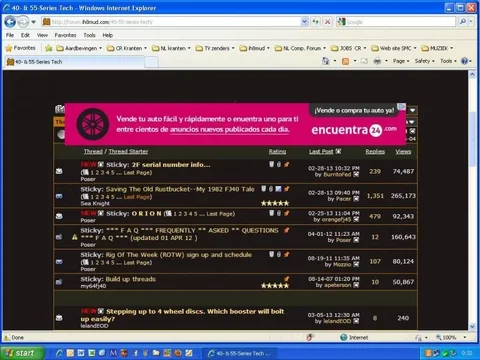
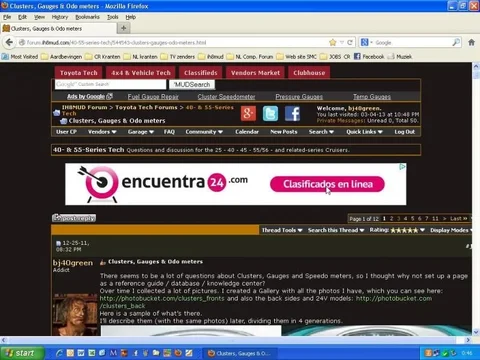
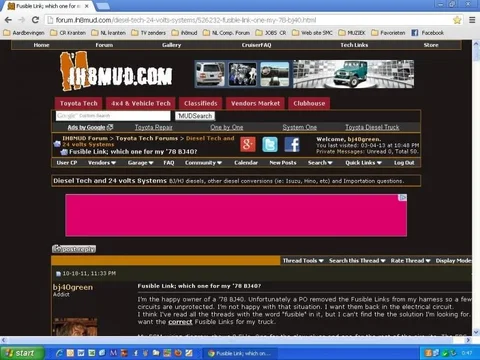
ad banners blocking page content

This site may earn a commission from merchant affiliate
links, including eBay, Amazon, Skimlinks, and others.

Joined
Sep 2, 2010
Threads
55
Messages
1,136
Location
Sarasota, Florida
Heip. I can't even see what I'm typing. How can I get rid of these ****pop-ups? I opted out but am still getting them. They block the thread list and I can't even see or get to the first several threads on all forums including this one.
Thanks,
cp
 
Popup ads are NOT allowed per every advertising contract, period.

EXPANDING ads are allowed, but must be user initiated...auto-expanding ads are also not allowed. This is likely what you are seeing...

However, 'I see one' doesn't help me track it down much...any additional info you can provide?? Screen shot even?
 
just found the possible culprit...lucky guess :)

They had "expandable ads" in their filters...and now have "auto expandable ads" and "user expandable ads"...of course, the check I had in place wasn't moved over..."auto expandable ads" are now disallowed within that network, but it may take a bit to take effect.

A screen shot will still be helpful if you catch it again.
 
Here ya go. Still doing it for me, Firefox.

untitled.webp
 
I don't know how to put the screen shot in a post but I'm still getting them on every new page, including this text box.
Thanks for the immediate help working on this though. Trunk Monkey, Thanks, I'm glad I'm not the only one experianceing this!
cp
 
Happening here too: Two different computers (home/work), two versions of IE.

Ads blocking threads, top of sections, reply boxes, etc.

Also consistently very slow loading on both computers.
 
lol...

Spent the past couple hours tweaking and testing..."hopefully" successful...

The websites work with as many as 30 ad networks...the spreadsheet I use to manage who is enabled/disabled and where they fall in the waterfall can be messy :)

I've got questions into a couple to see about code optimization..."believe" the changes I've just made will address it...but awaiting confirmation as well :)
 
In the meantime, I found if you click on the add then hit your back arrow, you can expose and post a new thread.
 
The ads are still in the wrong place, but now the forum stuff is blocking them rather than the other way around.

Slightly faster loading, but there are still large ads blocking thread text. Some are partially hidden but most are not.
 
I'll keep looking...my only final suggestion is to clear the cache in your browser...they "shouldn't" remain an issue for this long, but it is possible...

Unfortunately, I'm not sure what else to change on my end...
 
The problem is with IE8 on my PC and Laptop.
Deleting cookies, history and temp. Internet files didn't help.
What more can I delete?
screen ad.webp

I don't have any problems when using FireFox or Chrome.
screen ad firefox.webp

screen ad chrome.webp

Good luck,

Rudi

screen ad.webp


screen ad firefox.webp


screen ad chrome.webp
 
Last edited:
Still happening after clearing history.
 
Back
Top Bottom