



- Joined
- Jul 5, 2010
- Threads
- 13
- Messages
- 310
I couldn't find this yesterday when I was looking for it so I thought I'd contribute what I figured out.
Evidently flickr.com has made some changes since the last time I tried to post pictures from there. I was able to link to flickr on ih8mud by following these steps:
click on the picture you want
click the "Share this" drop down
select "Grab the HTML/BBCode"
in the dropdown box below all the html code select the picture size you want
in the box you'll see something like this:
<a
href="http://www.flickr.com/photos/41324735@
N06/5183205733/" title="DSCF0054 by
brockbelliston, on Flickr"><img
src="http:/farm2.static.flickr.com/1005/518320
5733_2a77df0784_z.jpg" width="640"
height="480" alt="DSCF0054" /></a>
Grab the second link -- but not the quotation marks -- starting with "http:" and ending with ".jpg" (the part I have bolded above) and copy it to your clipboard.
In mud use the picture link button and paste the link in the window that pops up.
Voila'
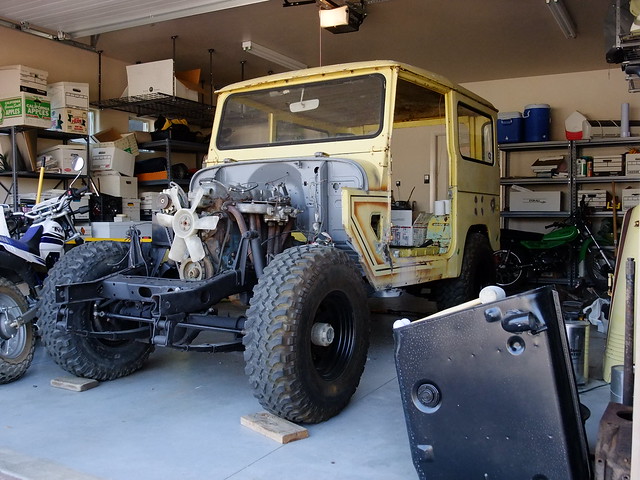
There might be an easier way and I was surprised that the "Grab the link" option in flickr didn't work, but this worked well for me here (https://forum.ih8mud.com/40-55-series-tech/433939-just-another-average-70-40-build.html).
Evidently flickr.com has made some changes since the last time I tried to post pictures from there. I was able to link to flickr on ih8mud by following these steps:
click on the picture you want
click the "Share this" drop down
select "Grab the HTML/BBCode"
in the dropdown box below all the html code select the picture size you want
in the box you'll see something like this:
<a
href="http://www.flickr.com/photos/41324735@
N06/5183205733/" title="DSCF0054 by
brockbelliston, on Flickr"><img
src="http:/farm2.static.flickr.com/1005/518320
5733_2a77df0784_z.jpg" width="640"
height="480" alt="DSCF0054" /></a>
Grab the second link -- but not the quotation marks -- starting with "http:" and ending with ".jpg" (the part I have bolded above) and copy it to your clipboard.
In mud use the picture link button and paste the link in the window that pops up.
Voila'
There might be an easier way and I was surprised that the "Grab the link" option in flickr didn't work, but this worked well for me here (https://forum.ih8mud.com/40-55-series-tech/433939-just-another-average-70-40-build.html).
Last edited:


